
Virtual Filming Guide
Best-practice guidance for recording professional speakers remotely
If your project involves recording professionals delivering presentations or speaking on camera remotely — and a full in-person film setup isn’t practical — this guide outlines simple best-practice principles to help achieve a clear, professional result.
Recording comfort matters more than technical perfection. These simple cues help you feel at ease on camera.
The guidance below is designed for common video call recording scenarios and typical office and home environments. Following these recommendations helps ensure recordings look consistent, confident, and suitable for use across presentations, events, and edited films.
These are practical guidelines rather than strict requirements. Where additional support is needed, guidance can be provided in advance or during the session.
Camera setup & framing
This is the single biggest factor in how professional a recording looks.
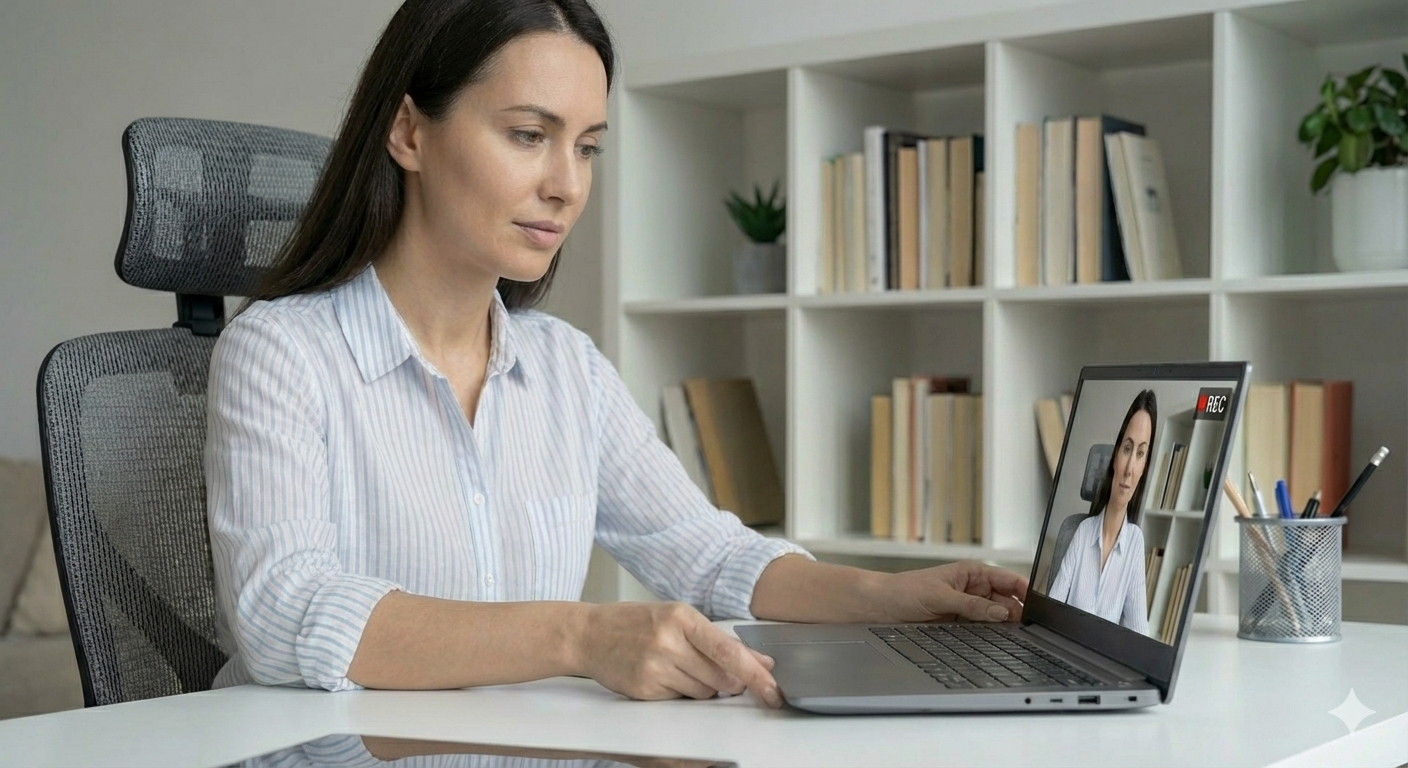
A stable, eye-level camera and comfortable framing help speakers stay still, centred, and confident on screen.
Record using a fixed camera setup such as a laptop or mounted external webcam.
If possible, SET the camera to HD 1920x1080 resolution.
Things to do
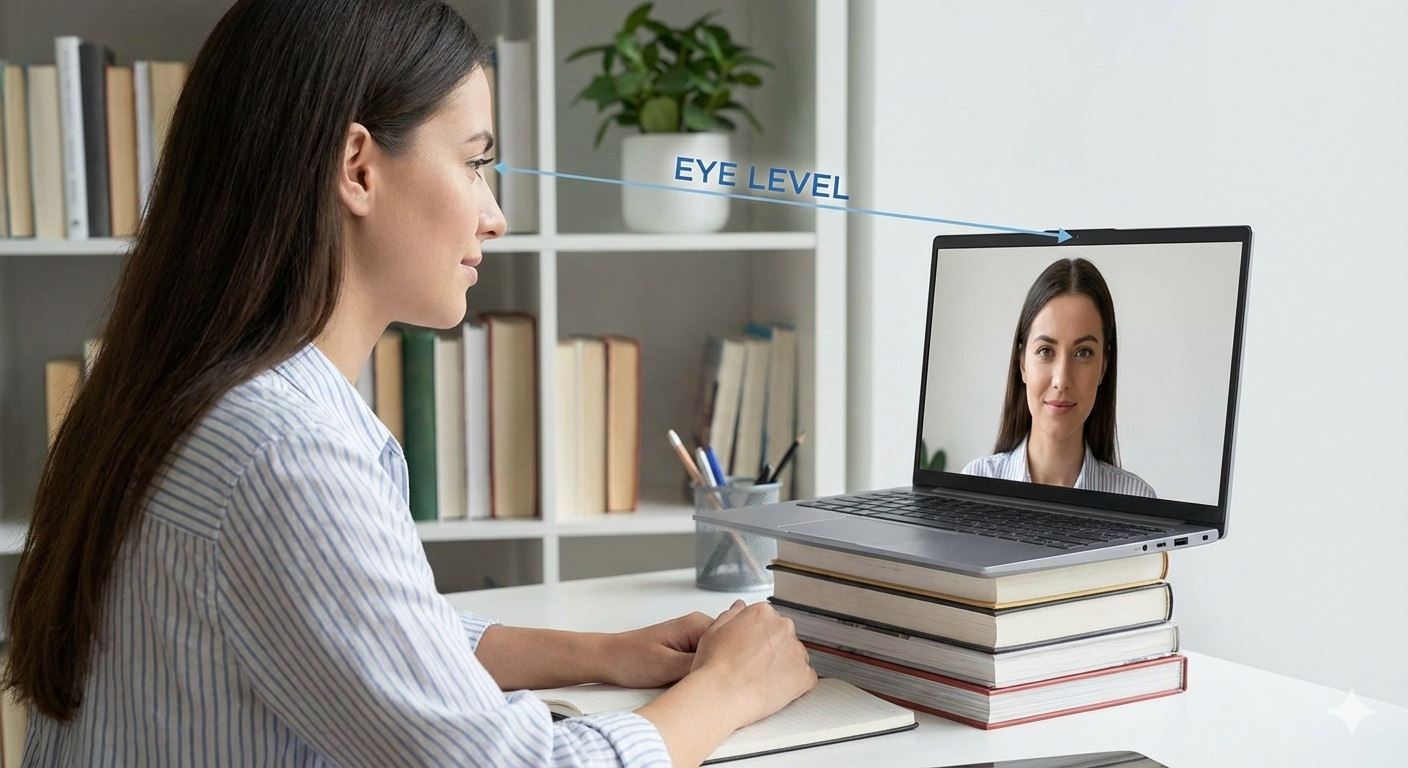
Position the camera at eye level
Raise the laptop so you’re looking straight ahead, not up or down. Frame head and shoulders with a small amount of space above the head.

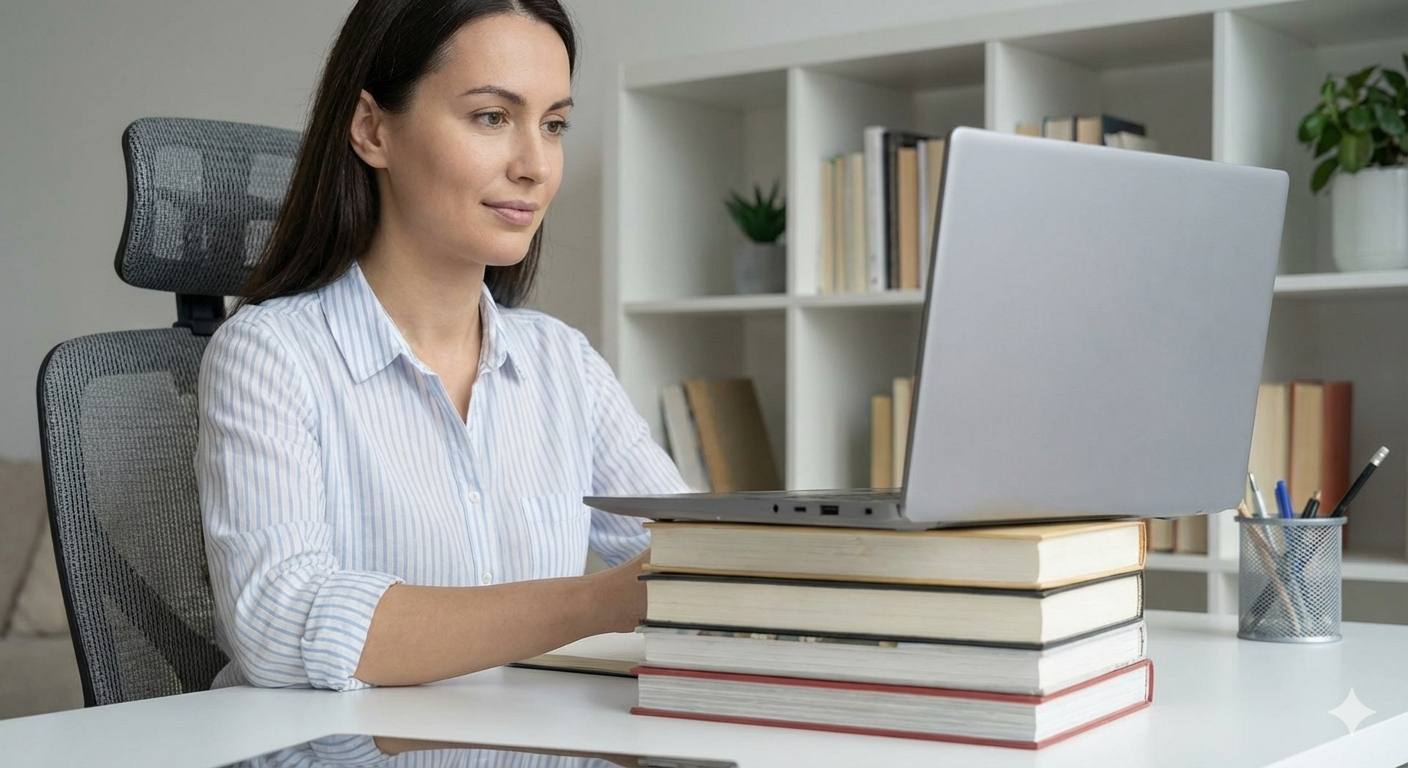
Use books or a stand to raise the laptop if needed
Even a small lift can improve eye line and framing, helping the camera sit naturally at face level.

Sit comfortably so you can remain still in frame
Sit at a natural distance in a position you can comfortably maintain, without leaning back, slouching, or shifting during the recording.
Things to avoid
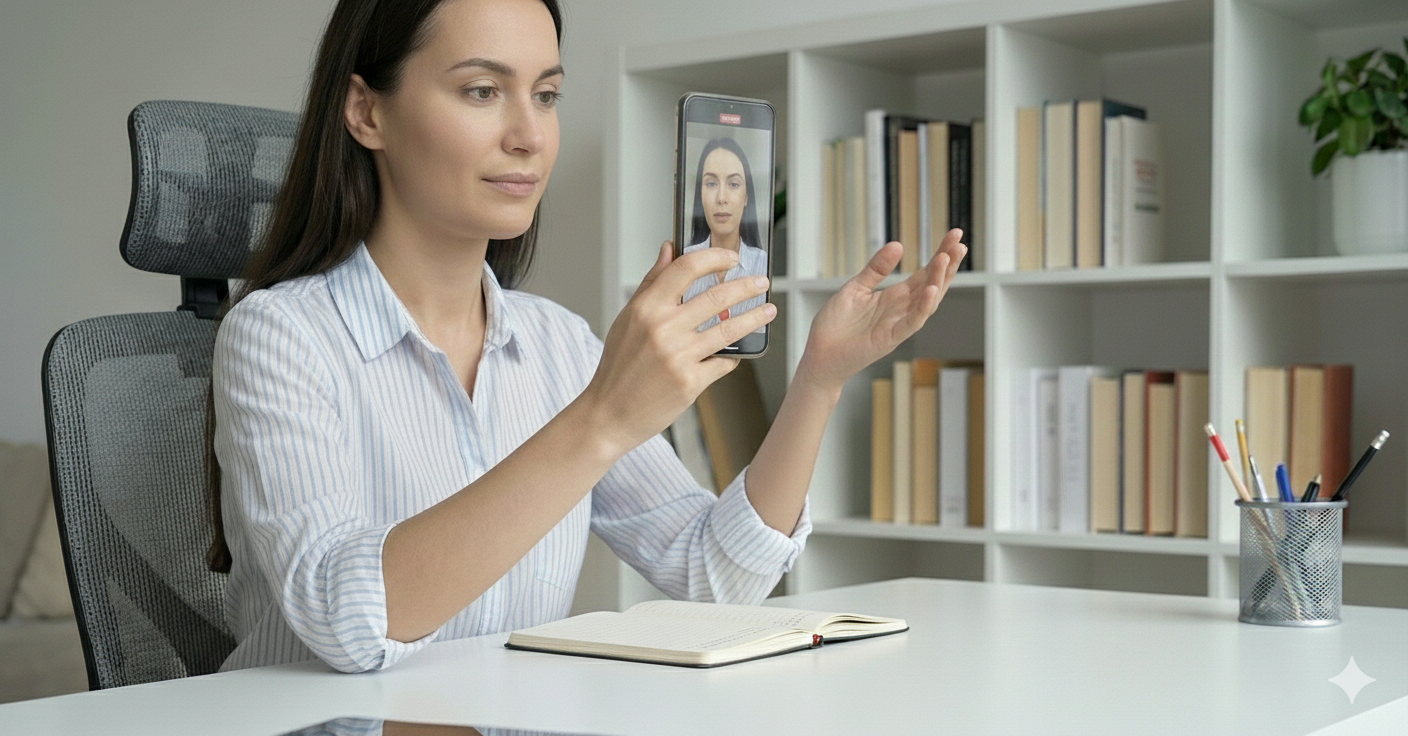
Handheld or portrait (phone-style) recording
This often results in movement and vertical framing, which limits how the footage can be used across presentations and edits.

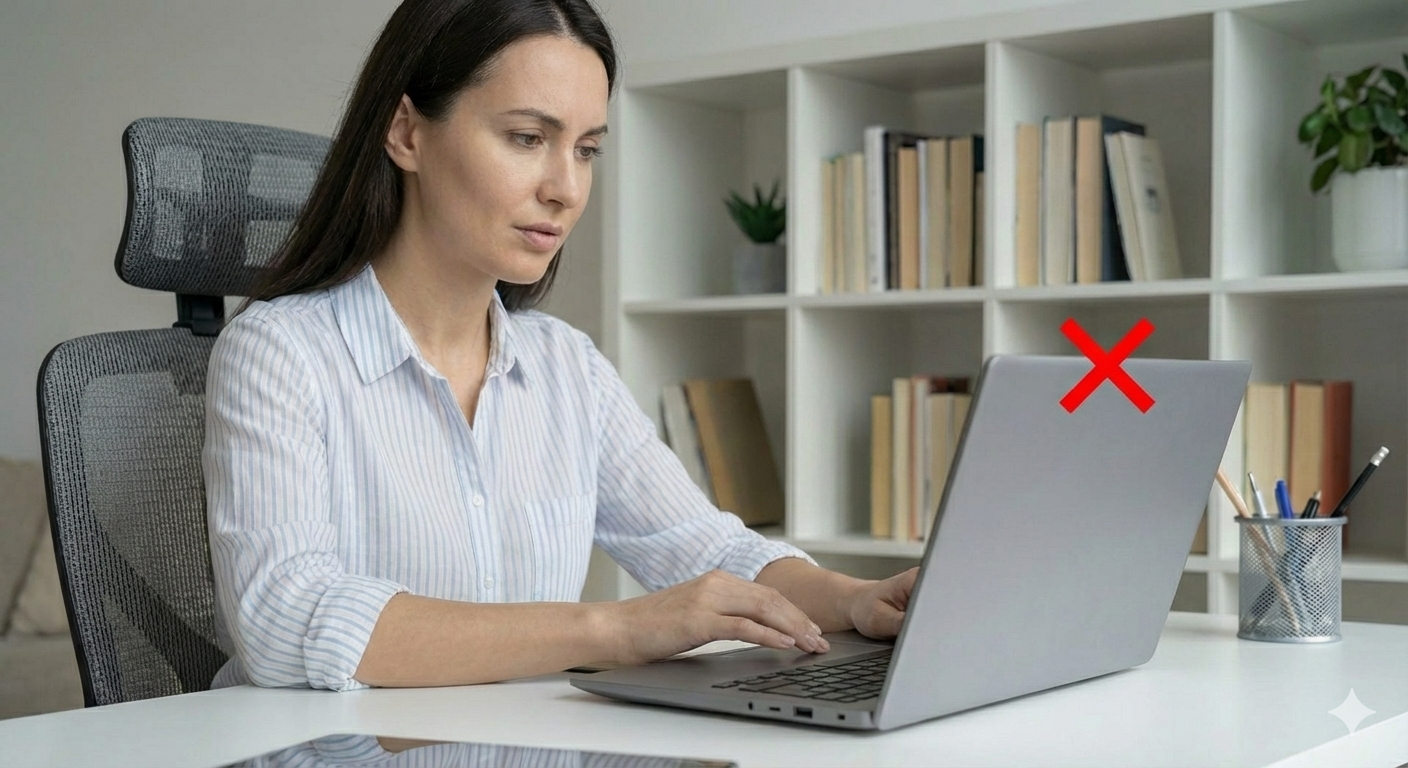
Having the camera at an angle
Upward or downward angles are unflattering and create an inconsistent look. Keep the camera straight, level, and centred in frame.
Moving the camera once recording has started
Adjustments mid-recording are distracting and difficult to correct later. Set the position and keep it fixed.
LIGHTING & ENVIRONMENT
Lighting and surroundings have a big impact on how clear, calm, and professional a recording feels.
A simple, controlled setup will always outperform a visually busy or unpredictable environment.
for a more professional on-camera look we recommend using your laptop microphone or an external mic if available rather than a headphone setup.
Things to do
Record in a quiet, controlled indoor room
Choose an indoor space with minimal background noise. Close windows and doors to reduce traffic, wind, or other interruptions.
Light your face from the front
Use natural light from a window in front of you, or a soft lamp placed slightly to one side. Keep the light even and not too strong.
Turn off notifications and distractions
Silence your phone and disable pop-ups from email or messaging apps so you can stay focused while recording.
Things to avoid
Busy or cluttered backgrounds
Shelves, movement, or visual clutter can pull attention away from what you’re saying and reduce the perceived quality of the recording.
Outdoor or unpredictable environments
Even if a location looks good, wind and ambient noise are difficult to fix without professional audio equipment.
Strong backlighting or mixed light sources
Avoid sitting with a bright window or lamp behind you, and don’t mix daylight with artificial light as this can cause uneven exposure.
PRO TIP:
If the light feels too harsh, soften it by diffusing it through a thin curtain or light fabric. This reduces hard shadows and creates a more even, flattering look.
During the recording
A few simple guidelines to help you feel comfortable and deliver your message naturally.
This isn’t about performance — it’s about clarity, confidence, and keeping things relaxed.
The goal isn’t perfection — it’s capturing a clear, confident message in a way that feels natural to you.

Take your time
There’s no rush.
Pause between thoughts, take a breath if you need to, and don’t worry about small hesitations. Natural pacing always sounds better than trying to rush through a point.

Don’t worry about mistakes
Small stumbles are completely normal.
If you miss a word or want to rephrase a sentence, simply pause, take a breath and start again. We can easily edit around this later.

Speak Naturally
Imagine a single, friendly listener.
Speak as if you’re talking to one person. This helps keep your tone conversational and avoids sounding overly formal or scripted.

Stay relaxed and still
Comfort helps consistency.
Try to keep your posture steady and avoid shifting position while speaking. If you need a moment to reset, just pause and relax. Then continue.

Look at the camera
This helps create a direct connection.
You don’t need to stare at it constantly — just glance back to the camera when delivering key points. Have notes on the screen if you need.
Leave space between thoughts
Small pauses make a big difference.
Pause briefly at the end of each sentence or paragraph instead of running lines together. This helps your delivery feel calm and makes editing cleaner and more flexible.
No pressure.
no rush.
We won’t jump straight into recording when you join the call.
We’ll have a short chat first to help you settle in, check framing and audio, and make sure you’re comfortable.
When you’re ready, we’ll hit record.
Then you:
1. Slowly count down from 3.
2. take a breath to pause for a moment.
3. then begin.
That short pause gives you space to reset, and gives us a clean, confident start to the take.
There’s no need to rush. We can always restart — and we’ll guide you through it if needed.
These guidelines are intended to reduce friction, not add it.
A simple, well-considered setup will always outperform complex equipment used incorrectly. Following the principles above helps ensure recordings feel professional, confident, and suitable for a wide range of uses.
If you have questions in advance, or would like support reviewing your setup, just let us know.